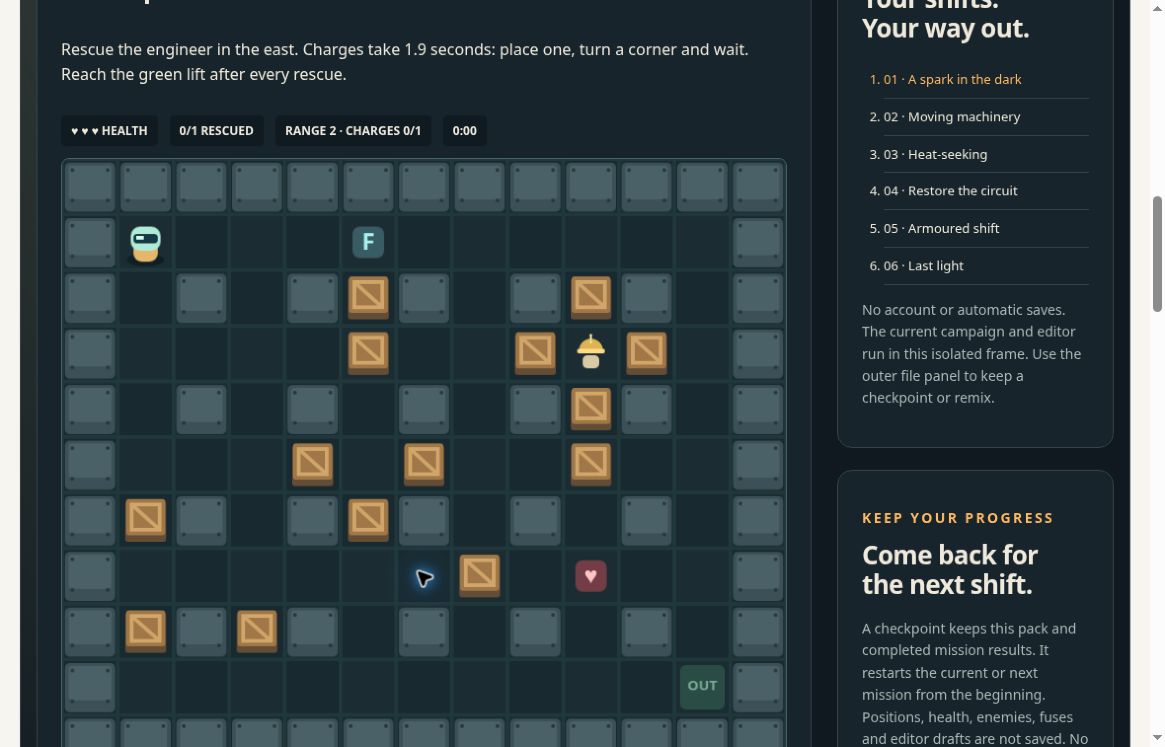
This guide stays open. Starting the game, importing a file and publishing a remix are separate actions. Nothing here starts, imports or publishes automatically.
01
YOUR FIRST RESCUE
Get everyone to safety.
In the workshop, choose Start mission. Rescue every worker, then reach the green lift.
Arrows / WASD
Move through the foundry.
Space
Place a charge.
Escape
Pause the mission.
Give the blast room. A charge takes 1.9 simulation seconds. Retreat around a corner beyond its blast before approaching again. Known differences in input timing remain; don’t rely on a wall-clock countdown.
Actual workshop screen. This is the playable experimental edition, not the Game Commons concept film.
02
ONE USEFUL CHANGE
Try a different route.
Open the mission editor.
Choose Remix this mission. Select Floor and remove one crate. Give your mission a title.
Test before you keep it.
Choose Review & play draft. Check whether your change does what you intended. A successful import is not proof that a mission can be completed.
Keep the creator credit.
Choose Prepare credited JSON, then Download level-pack JSON. The editable missions and credit travel together. Exporting does not publish your work.
A checkpoint does not save editor drafts. For a mission you changed, use the level-pack file described below. Keep any existing file before replacing it.
03
A FILE THAT FITS THE JOB
Progress or a remix? Keep the right one.
CAMPAIGN CHECKPOINT
Keep completed results.
Choose Prepare campaign checkpoint, then Download checkpoint JSON.
Reopen in a fresh workshop
Choose Campaign checkpoint.
Select the actual JSON file you saved.
Choose Review import in game, then explicitly Start mission.
Keeps the pack and completed mission results. The current or next mission restarts from its beginning. It does not keep live positions, health, enemies, fuses or editor drafts.
EDITABLE LEVEL PACK
Keep your missions & credit.
Choose Prepare credited JSON, then Download level-pack JSON.
Reopen in a fresh workshop
Choose Level pack.
Select the actual JSON file you saved.
Choose Review import in game, then explicitly Start mission.
Keeps editable missions and creator credit. It does not keep completed campaign results. Keep it separately from a campaign checkpoint.
Downloads are manual. Preparing a file is not saving it. Reopen the downloaded file to check it before relying on it. There are no automatic saves or uploads in this workshop. Avoid private information in titles or credits you may share.
WHAT WE CHECKED / 11 NOVEMBER 2026
A checked starting point. An experimental game.
These are internal desktop checks of the hosted workshop, not an independent player review or a promise that every device and mission works.
The unchanged original first mission was completed. Its actual downloaded campaign checkpoint reopened in a fresh workshop with mission 2 ready from its beginning.
A changed mission was exported as credited JSON text, freshly imported and completed.
Separately, a renamed original level pack was downloaded as a native file and reopened. This is not a claim that every edited native-file run was tested.
The full sequential six-mission campaign, mobile behavior and outside-player outcomes remain unestablished. Known input-timing differences remain. The game’s own page may carry older, broader verification cautions; these notes describe only the narrower checks above.