YOUR WAY BACK
Save editable project
Keep this JSON to reopen and revise in Club Page Studio. Check that the download reached your device.
Editable · local file · keep privateA SMALL WEBSITE. A COMPLETE WAY BACK.
Make one club page. Keep the website.
Come back and change the plan.
Free · no account · desktop best
One informational page. No hosting or RSVP forms.
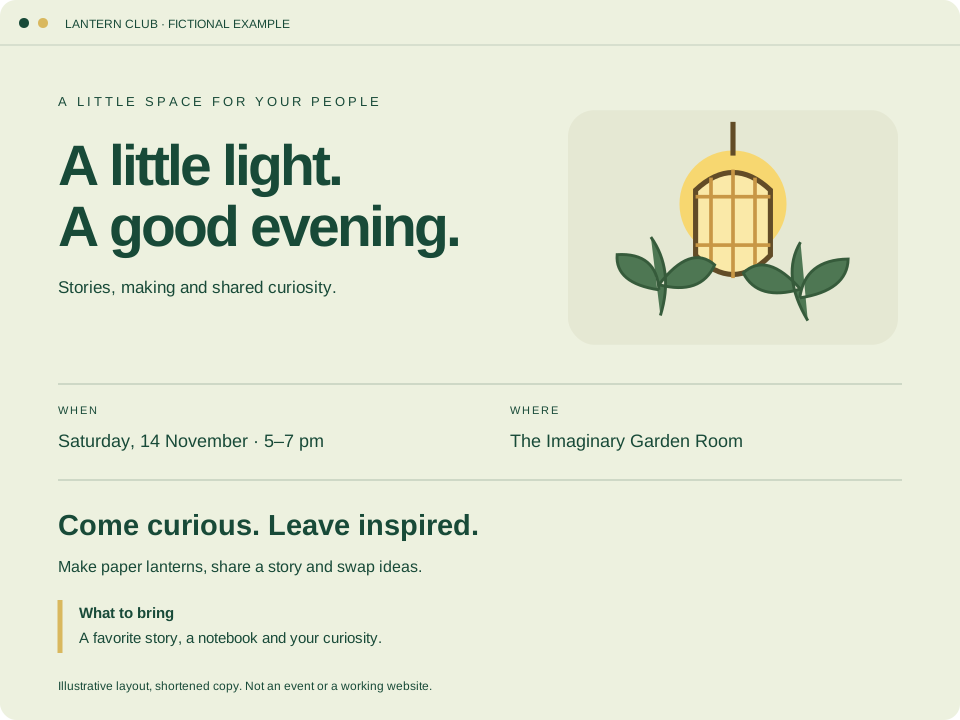
Start with Lantern Club, a fictional example. Try changing its meeting time before using your own details.
Three palettes. Three local illustrations, or none. A fixed page layout.
No CMS, shop, custom scripts, HTML import, AI generation or automatic publishing. Not a full Webflow replacement.
See tested scope & device limitsUse the labelled sidebar fields. Direct canvas text editing works best on desktop.
Open Club Page StudioOpens a new tab so this guide stays here. Save any existing editor work first. Following this link does not load or replace a project.
Check all nine fields, palette and illustration. Use Desktop and Phone preview widths; look for clipped words, wrong times and private text. A Phone preview is not a tested phone download.
Changes stay in the editor tab until you download. Closing or refreshing loses unsaved work.
YOUR WAY BACK
Keep this JSON to reopen and revise in Club Page Studio. Check that the download reached your device.
Editable · local file · keep privateYOUR WEBSITE FILES
HTML, CSS, local artwork and an editable JSON copy. Extract together; check with static HTTP or your chosen host.
Finished website + source · not published04 / RETURN
Select the editable JSON you downloaded. Not the website ZIP or HTML.
Read all nine fields and settings in the review. Hidden text matters too.
Only confirm when it is right. Use Keep editing to cancel without replacing.
Change the time, choose Save editable project, then reopen that new JSON to check it.
Save work you want to keep before replacing. The link alone transfers nothing. Native import may normalize line endings; the shared bundle preserves the exact file bytes.
In Keep & reopen (new tab), choose Club Page Studio editable JSON and manually add your saved JSON, up to 20,000 bytes. Download the bundle. Later, reopen the bundle and extract the unchanged JSON, then return here for the native Open project review Replace page steps.
Website ZIP and HTML are not supported by this bundle route. No automatic transfer, saving, synchronization or encryption. Keep the website ZIP separately. If using a brief from Learn, copy the facts yourself; no project is sent between sites.
The existing Club Page runtime has desktop save, fresh reopen, review, Cancel/Replace, revision and final reopen checks, plus exported ZIP rendering over static HTTP. Shared bundle extraction has exact-byte checks. This guide adds navigation, not a new editor capability.
Physical-phone downloads, screen readers, IME, full network capture and file:// compatibility are not certified. Use fictional content while learning. The editor has no analytics, uploads or cloud storage; its policy blocks network connections. Read the exact runtime verification scope.